
Download Speedy Report – SQL reporting tool, database report generator, rapid report creation, automated report distribution, SQL database compatibility
Overview
Speedy Report is a specialized productivity tool designed for generating reports from SQL databases with speed and precision. Its primary purpose is to streamline the report creation process, enabling users to transform raw database data into structured, shareable outputs in minimal time. The application addresses common inefficiencies in manual reporting workflows, such as lengthy setup times, format inconsistencies, and delayed distribution. It is particularly beneficial for professionals managing data across multiple SQL environments, including business analysts, database administrators, and IT support teams.
Target users include technical staff who regularly extract and present data from Microsoft SQL Server databases, especially those working with legacy systems. The app’s compatibility with SQL Server versions from 2000 to 2012 ensures it can function effectively in environments where modern tools may not be supported. Real-world use cases include generating weekly performance summaries, financial data exports, and system health reports. In the broader app ecosystem, Speedy Report fills a niche for lightweight, focused tools that deliver specific functionality without unnecessary overhead. Although the developer did not provide additional technical details, its long-standing presence since 2013 suggests reliability and sustained utility in data-driven workflows.
Key Features & Functionality
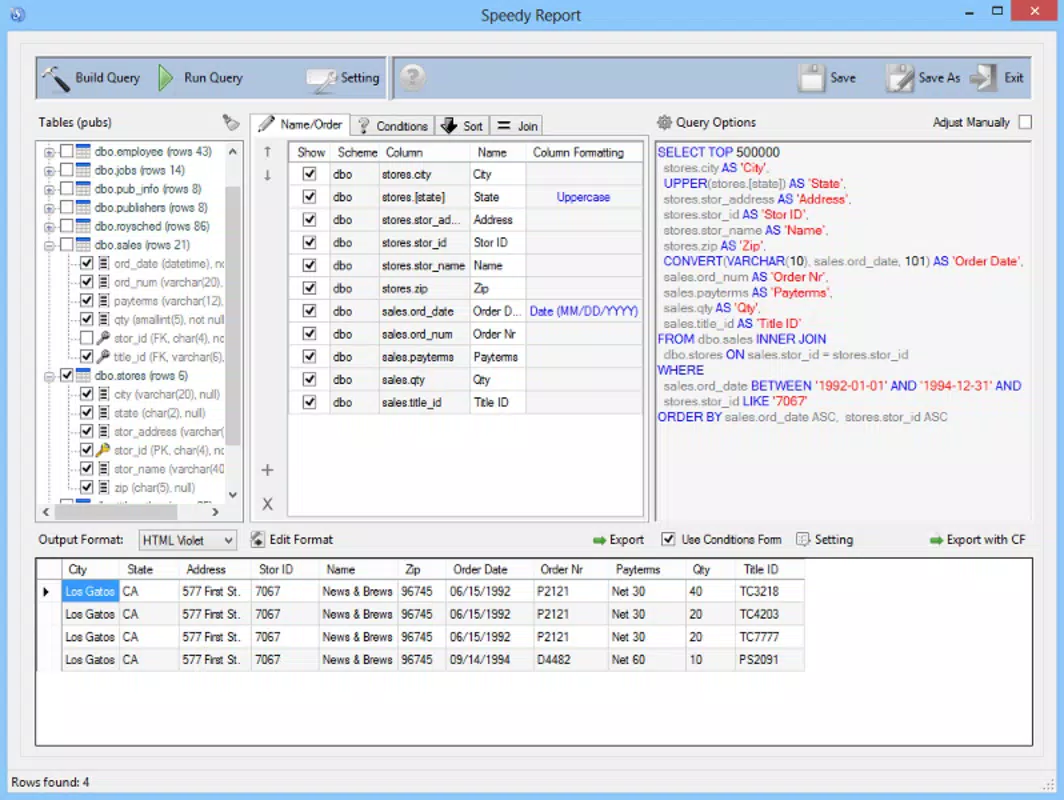
- Rapid Report Generation: Speedy Report enables users to create comprehensive reports in minutes by connecting directly to SQL databases. This feature reduces the time traditionally spent on report formatting and data aggregation, allowing users to focus on analysis rather than mechanics.
- Multiple Database Support: The application supports various SQL databases, ensuring flexibility for users managing multiple data sources. This capability enhances workflow consistency across different projects and departments.
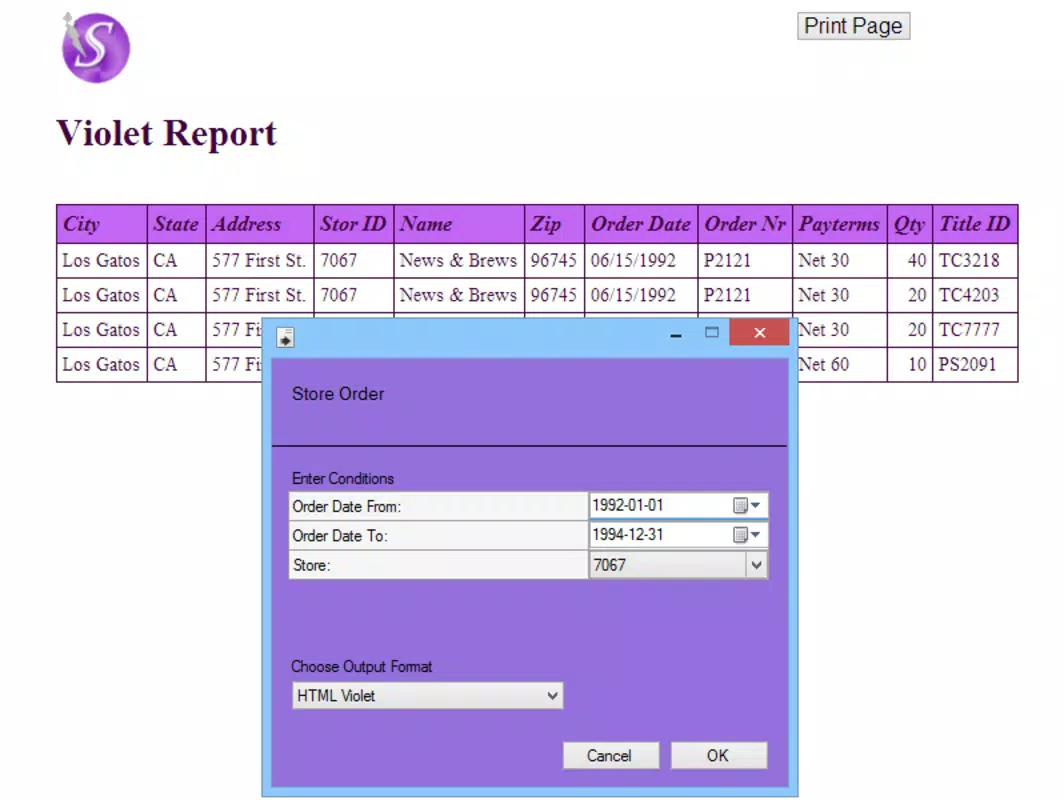
- Format Versatility: Users can export reports in multiple formats, including XLS, HTML, Access, and TXT. This ensures compatibility with diverse systems and user preferences, facilitating seamless sharing and integration into existing processes.
- Compatibility Assurance: Built to work with Microsoft SQL Server versions from 2000 to 2012, Speedy Report maintains backward compatibility, making it ideal for organizations still using older database infrastructure.
- Automated Distribution: Reports can be automatically sent to designated recipients via the Speedy Report client. This feature improves communication efficiency and ensures timely delivery, reducing the risk of delays in decision-making cycles.
For example, a database administrator can schedule a daily report on server performance, export it in HTML for web viewing, and have it delivered to team members without manual intervention. Similarly, a financial analyst might generate a monthly sales summary in XLS format and distribute it to stakeholders with a single command. These real-world applications demonstrate how Speedy Report enhances productivity and reliability in data reporting.
Interface, UX & Performance
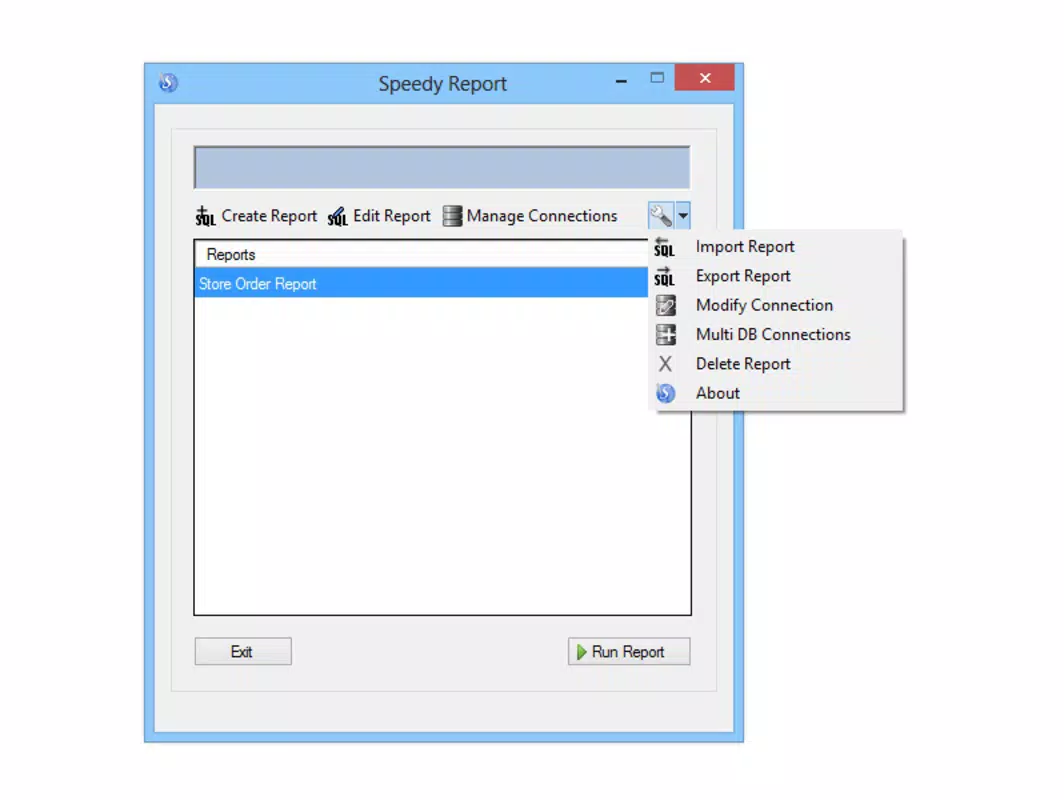
The user interface of Speedy Report is designed with functionality in mind, prioritizing direct access to core reporting tools. The layout is structured around database connection, query execution, format selection, and distribution settings, enabling a logical workflow. Visual elements are minimal but effective, focusing on clarity and ease of navigation. Users can connect to databases, run queries, and generate reports with few clicks, minimizing the learning curve.
Navigation is straightforward, with clearly labeled sections and consistent controls. Although the developer did not list formal performance metrics, the app’s small file size of 2.1 MB suggests lightweight resource usage, which may contribute to stable performance on older or low-spec systems. Responsiveness appears to be adequate for typical reporting tasks, though specific benchmarks were not provided.
Stability is implied by the app’s continued availability since its 2013 release, indicating a mature and reliable codebase. However, compatibility with modern Windows environments beyond the stated versions was not disclosed. Users should expect a functional experience on supported systems, but no guarantees for newer OS versions.
Platform Compatibility & Technical Requirements
Speedy Report is designed for the Windows platform and requires a compatible version of the Windows operating system. The application is available in version 1.0 and has a file size of 2.1 MB, indicating a compact and lightweight footprint. It is specifically built to work with Microsoft SQL Server versions from 2000 to 2012, ensuring compatibility with legacy database systems. This targeted compatibility allows users to leverage the tool in environments where newer reporting software may not be viable.
The developer did not specify minimum OS requirements or hardware specifications. As such, users should exercise caution when installing on modern Windows systems, particularly those running Windows 11 or later, where legacy applications may face compatibility issues. No information was provided regarding updates, patches, or support timelines. Users should verify system compatibility before installation to avoid potential issues. While the app remains functional on supported platforms, the absence of updated technical details limits its accessibility in evolving IT landscapes.
Pros and Cons
Pros
- Efficient report generation with minimal setup time
- Supports multiple output formats for flexible sharing
- Backward compatibility with older SQL Server versions
- Automated report distribution reduces manual effort
- Lightweight design with low file size (2.1 MB)
Cons
- No information on modern OS compatibility
- Limited to Microsoft SQL Server 2000–2012
- No details on update frequency or developer support
- Small file size may indicate limited feature expansion
- Price point of $49.99 may be high for niche tools
FAQ
Is Speedy Report compatible with Windows 11?
The developer did not disclose compatibility with Windows 11. Users should test the application on their system to confirm functionality.
Can I use Speedy Report with databases other than Microsoft SQL Server?
While the app is designed for Microsoft SQL Server, the developer did not specify support for other database types. It is intended primarily for SQL Server environments.
How often is Speedy Report updated?
Specific update details were not provided. The last known release was in 2013, suggesting limited or no active development.
Is the app secure for handling sensitive data?
The developer did not provide information on data encryption, access controls, or security protocols. Users should assess risk based on their environment.
Can I install Speedy Report on multiple devices?
Information on licensing terms or multi-device installation was not disclosed. Users should consult the official source for usage rights.
Final Thoughts
Speedy Report remains a niche but functional tool for professionals working with legacy SQL Server environments. Its ability to generate reports quickly, support multiple formats, and automate distribution offers tangible value in data-heavy workflows. While its age and lack of modern updates are notable drawbacks, its targeted compatibility and lightweight design make it a viable option for specific use cases.
Users managing older databases who need a reliable, no-frills reporting solution will find it particularly useful. For those requiring broader compatibility or ongoing support, alternatives may be more suitable. However, for its intended audience, Speedy Report delivers consistent performance and practical utility.
Download Speedy Report now


